In this article
Custom Software vs Ready-Made Software: Which Is Better for Your Business?
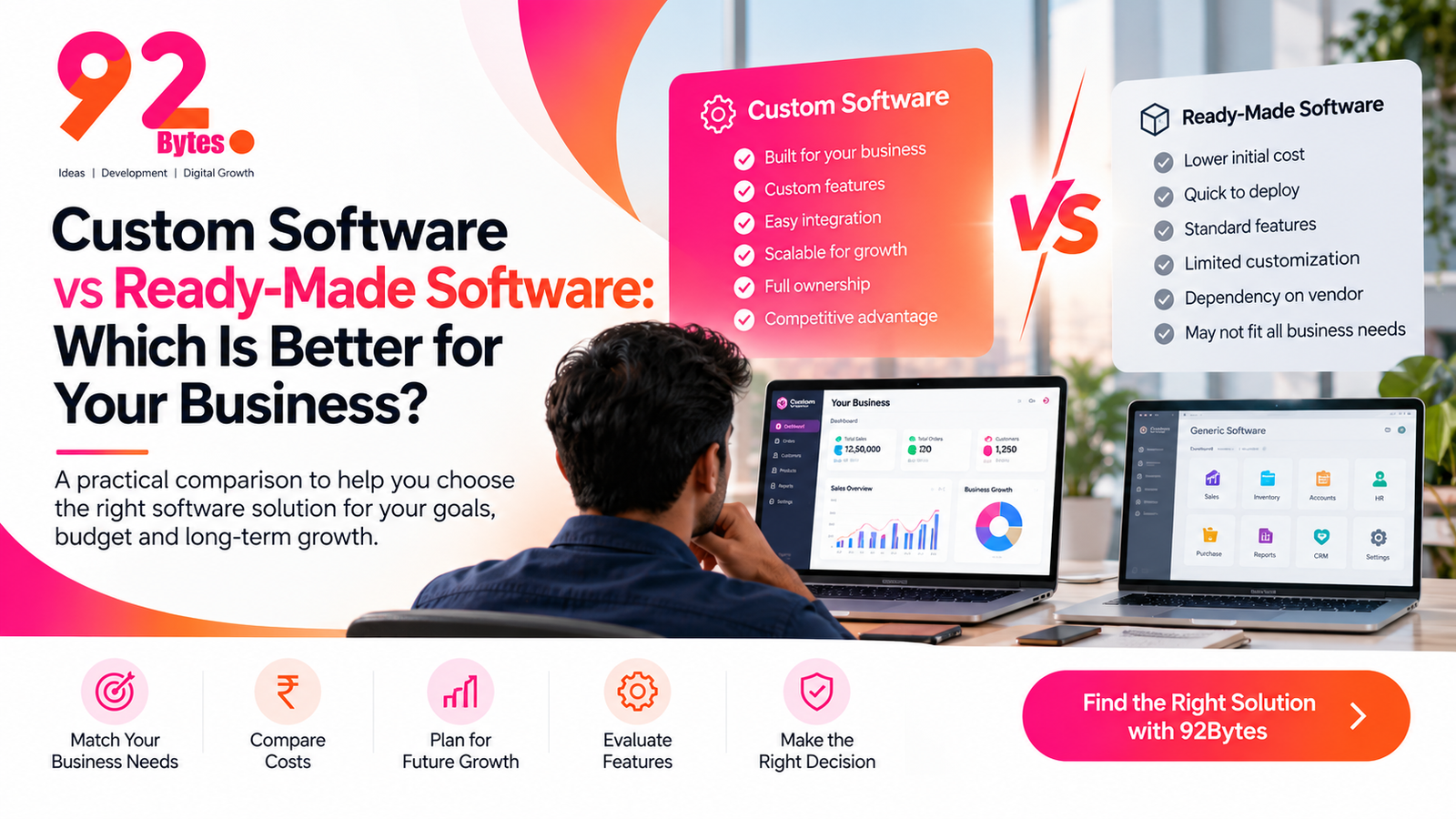
Choosing the right software can make a significant difference to how efficiently your business operates, serves customers and grows over time. But when you start looking for a business software solution, one important question arises: should you purchase ready-made software or invest in a custom-built solution?
Both options have advantages. Ready-made software can help you get started quickly, while custom software can be designed around your specific business processes and long-term requirements.
The right choice depends on your budget, operational complexity, growth plans, integration needs and the amount of flexibility your business requires.
In this guide, 92Bytes compares custom software and ready-made software to help you make an informed decision.
1. What Is Ready-Made Software?
Ready-made software, also known as off-the-shelf software, is developed for a broad range of customers. It usually provides standard features that address common business requirements.
Examples include accounting applications, subscription-based CRM platforms, project management tools, email marketing software and inventory management products.
Most ready-made solutions can be purchased through a subscription or licence. Depending on the provider, you may be able to configure workflows, connect integrations and add users without developing the entire application yourself.
Advantages of ready-made software
Lower initial investment: You generally avoid the expense of commissioning an entire application from scratch.
Faster implementation: The core product already exists, so you can often begin using it shortly after setup.
Established features: Popular products may offer reporting, user management, integrations and other commonly needed functions.
Vendor support: Many providers supply documentation, customer support, maintenance and regular updates as part of their service.
Limitations of ready-made software
Limited customization: You may need to adapt your business processes to fit the software's capabilities.
Recurring costs: Subscription fees can increase as your team grows or you need additional features.
Integration restrictions: Connecting the software to older systems or specialized workflows may be difficult or expensive.
Vendor dependency: Product changes, pricing adjustments or discontinuation may affect your operations.
Ready-made software is often an excellent choice when your requirements are standard and the available product already meets most of your needs.
2. What Is Custom Software?
Custom software is designed and developed for a particular business, organization or operational requirement.
Instead of selecting a product designed for a broad market, you work with a development team to define the features, workflows, user roles, integrations and technical architecture that your business requires.
Examples include:
- A school management system tailored to a school's administrative processes
- An inventory platform designed for a manufacturer's stock and production workflows
- A CRM system integrated with internal sales operations
- A hotel management and booking platform
- A subscription-based SaaS product serving a specific industry
- A customer portal connected to existing business systems
Advantages of custom software
Tailored workflows: The system can be designed around your actual business processes.
Greater flexibility: You can plan features and integrations according to your operational needs.
Growth-oriented architecture: The solution can be designed to support anticipated users, data volumes and future requirements.
Business differentiation: Specialized functionality may help your business deliver services that generic products cannot easily provide.
Greater control over development: You can prioritize features, influence the roadmap and decide how the system should evolve.
Limitations of custom software
Higher upfront investment: Analysis, design, development, testing and deployment require time and resources.
Longer implementation: A complex application may take weeks or months to deliver.
Ongoing responsibility: Updates, monitoring, backups, security and technical support need a clear ownership arrangement.
Project risks: Poor requirements, weak architecture or inadequate testing can increase costs and delay delivery.
Custom software is most valuable when standard products cannot adequately support your business requirements or when software is central to your competitive advantage.
3. Custom Software vs Ready-Made Software: Key Differences
| Factor | Ready-made software | Custom software |
|---|---|---|
| Initial investment | Usually lower | Usually higher |
| Implementation time | Generally faster | Depends on project complexity |
| Customization | Limited or configuration-based | Designed around agreed requirements |
| Maintenance | Often managed by the vendor | Requires an agreed maintenance arrangement |
| Integrations | Depends on available APIs and connectors | Can be developed for specific integrations |
| Scalability | Depends on the product and plan | Can be designed for expected growth |
| Feature control | Limited by the vendor's roadmap | Greater control over your own roadmap |
| Ownership | Governed by the provider's licence | Depends on contract and intellectual property terms |
| Vendor dependency | Often significant | Depends on architecture, documentation and support arrangements |
| Best suited for | Common business requirements | Specialized or strategically important workflows |
Neither option is automatically better. The right decision depends on how closely the software fits your business and what it will cost to operate over time.
4. Which Option Is More Cost-Effective?
One of the most common mistakes is comparing only the initial development cost or monthly subscription price.
A more useful approach is to calculate the total cost of ownership over a period of three to five years.
Costs associated with ready-made software
Depending on the product, your expenses may include:
- Monthly or annual subscriptions
- Per-user charges
- Premium features and add-ons
- Integration and migration costs
- Training and implementation
- Data export or switching costs
A subscription that seems affordable for a small team may become expensive as the number of users or required features increases.
Costs associated with custom software
A custom project may involve:
- Business analysis and requirements planning
- UI/UX design and development
- Backend and frontend engineering
- Database design and integrations
- Testing, deployment and documentation
- Hosting, security and backups
- Ongoing maintenance and future enhancements
Custom software can involve a substantial initial investment, but it may be economically sensible when the business needs specialized functionality or when the total cost of suitable subscriptions and workarounds becomes excessive.
Example: Imagine a company with 40 employees considering a business platform. One option charges a recurring fee per user, while another involves a custom development project and ongoing support.
To compare them fairly, calculate the subscription costs over several years, including expected price increases, and compare them with the custom project's development, infrastructure, maintenance and upgrade costs. Include the cost of staff time and any operational benefits, too.
The outcome depends on the actual numbers. Custom software is not automatically cheaper over the long term, and ready-made software is not always the least expensive choice.
5. Which Option Is Better for Different Industries?
Your industry and workflow complexity can help determine which solution makes the most sense.
Small businesses and local service providers
Ready-made software is often a sensible starting point for accounting, appointment scheduling, email marketing and basic customer management.
Consider custom development if you need a customer portal, specialized booking workflow or integration between several business systems.
Schools and educational institutions
Standard education platforms can work well for common teaching and administration needs.
A custom or heavily configurable school management system may be more appropriate when an institution requires specific fee structures, examination workflows, reporting or integrations with existing systems.
Manufacturing and distribution
Standard inventory and ERP products can support many common operations.
Custom software may be worth evaluating when the business has specialized production processes, complex inventory rules, multi-location workflows or integration requirements that existing products do not adequately support.
Ecommerce and retail
Ready-made ecommerce platforms are often effective for businesses with conventional product catalogues and checkout requirements.
Custom development becomes more relevant when the business needs distinctive pricing rules, specialized fulfilment workflows, complex integrations or a differentiated customer experience.
Startups and SaaS businesses
A ready-made platform can help a startup validate an idea quickly.
However, if the product itself is the company's main offering, custom development may become necessary to support unique functionality, product differentiation or long-term technical control.
A practical approach is to begin with the simplest solution that validates the business idea, then invest in more advanced technology when real requirements justify it.
6. Questions to Ask Before Making a Decision
Before selecting either option, work through these questions:
- Does an existing product already meet at least most of our essential requirements?
- Which business processes are difficult to manage with our current tools?
- How many employees, customers or locations will use the system?
- Which integrations are essential?
- What is our realistic initial budget?
- What are the expected costs over the next three to five years?
- How important are customization and ownership?
- What support, security and data portability arrangements do we need?
- Can we start with a smaller solution and expand later?
- Which option delivers the best measurable business outcome?
If a ready-made product meets your requirements without costly workarounds, there may be little reason to commission custom development.
If your team relies on specialized workflows that existing products cannot support, a custom solution deserves closer evaluation.
7. Is There a Middle Ground Between the Two?
Yes. Businesses do not always have to choose between an entirely standard product and a completely custom-built application.
Several alternatives can offer a useful balance.
Configurable SaaS: Select an existing platform and configure its settings, permissions and workflows to suit your organization.
Low-code development: Use a development platform that provides visual tools and prebuilt components to accelerate implementation.
Custom integrations: Retain your existing business software but connect it to other systems using APIs or automation tools.
Hybrid development: Use established third-party services for common functions while developing custom modules for your most important business processes.
Phased development: Launch a minimum viable product (MVP) with essential features, gather feedback and expand the system gradually.
These approaches can reduce risk and help you avoid investing in functionality before you know it is necessary.
8. How 92Bytes Can Help You Choose the Right Software
At 92Bytes, we help businesses explore digital solutions aligned with their requirements, operations and growth plans.
Depending on the project, our services can include custom software development, SaaS solutions, web applications, mobile apps, business management systems and AI-powered automation.
A useful starting point is to identify the problem you need to solve, document your essential features and evaluate whether an existing product can meet your needs.
If standard software is sufficient, there may be no need to build everything from scratch. If your business requires specialized workflows or a differentiated digital product, custom development may be worth exploring.
The objective is to choose a solution that delivers practical value, can be maintained responsibly and supports your long-term business goals.
Need help choosing the right software for your business?
Visit 92bytes.com to explore our services and discuss your software requirements with the 92Bytes team.
9. Frequently Asked Questions
Is custom software better than ready-made software?
Not in every situation. Custom software offers more control over functionality, while ready-made software usually offers faster implementation and lower initial costs. The better option is the one that best meets your requirements and budget.
Is custom software more expensive?
Custom software generally requires a larger initial investment. However, the long-term comparison depends on maintenance costs, subscription fees, integrations, productivity and the cost of adapting your business processes.
How long does custom software development take?
The timeline depends on the scope, integrations, design complexity and testing requirements. A small application may take weeks, while a complex enterprise system may require several months or longer.
Can ready-made software be customized?
Many products offer settings, plugins, APIs, extensions and workflow configuration. The extent of customization depends on the platform and its licensing restrictions.
Who owns custom software?
Ownership depends on the development agreement, intellectual property clauses and third-party components used. Before signing a contract, clarify ownership of the source code, documentation, reusable components and related intellectual property.
Should a startup build custom software from day one?
Not necessarily. A startup can often validate its idea using existing tools or an MVP. Custom development becomes more attractive when specific requirements, customer demand or competitive differentiation justify the investment.
Can a business switch from ready-made software to custom software later?
Yes, but migration requires planning. Consider data export, data mapping, integrations, user training, testing and the transition period. Maintaining access to the old system until the new one is validated can reduce disruption.
Conclusion
Choosing between custom software and ready-made software is ultimately a business decision, not just a technology decision.
Ready-made software is often the practical choice when you need common features quickly and at a predictable initial cost. Custom software is worth considering when specialized requirements, integrations, operational complexity or product differentiation make standard solutions insufficient.
Before committing to either option, assess your requirements, compare the total cost of ownership and plan for maintenance and future growth.
The best software is not necessarily the most advanced or the most expensive. It is the solution that helps your business work better.
Ready to explore your options? Visit 92Bytes and discuss a technology solution that fits your business goals.
- #Custom Software,
- #Ready-Made Software,
- #Business Automation,
- #SaaS,
- #Software Development,
- #Digital Transformation, 92Bytes
Written by
Debangshu Chatterjee
Debangshu Chatterjee writes for the 92bytes blog. 92bytes is a software company in India that builds custom software, SaaS platforms, AI agents, websites and mobile apps for growing businesses — designed, built and supported by one team since 2019.
About 92bytes →
Comments
No comments yet. Start the conversation.
Leave a comment
Comments appear after a quick review by our team.